Start Here
Find out how to use and what CPI/SPI means.
TOOL 02 / 10 · PROFESSIONAL EDITION
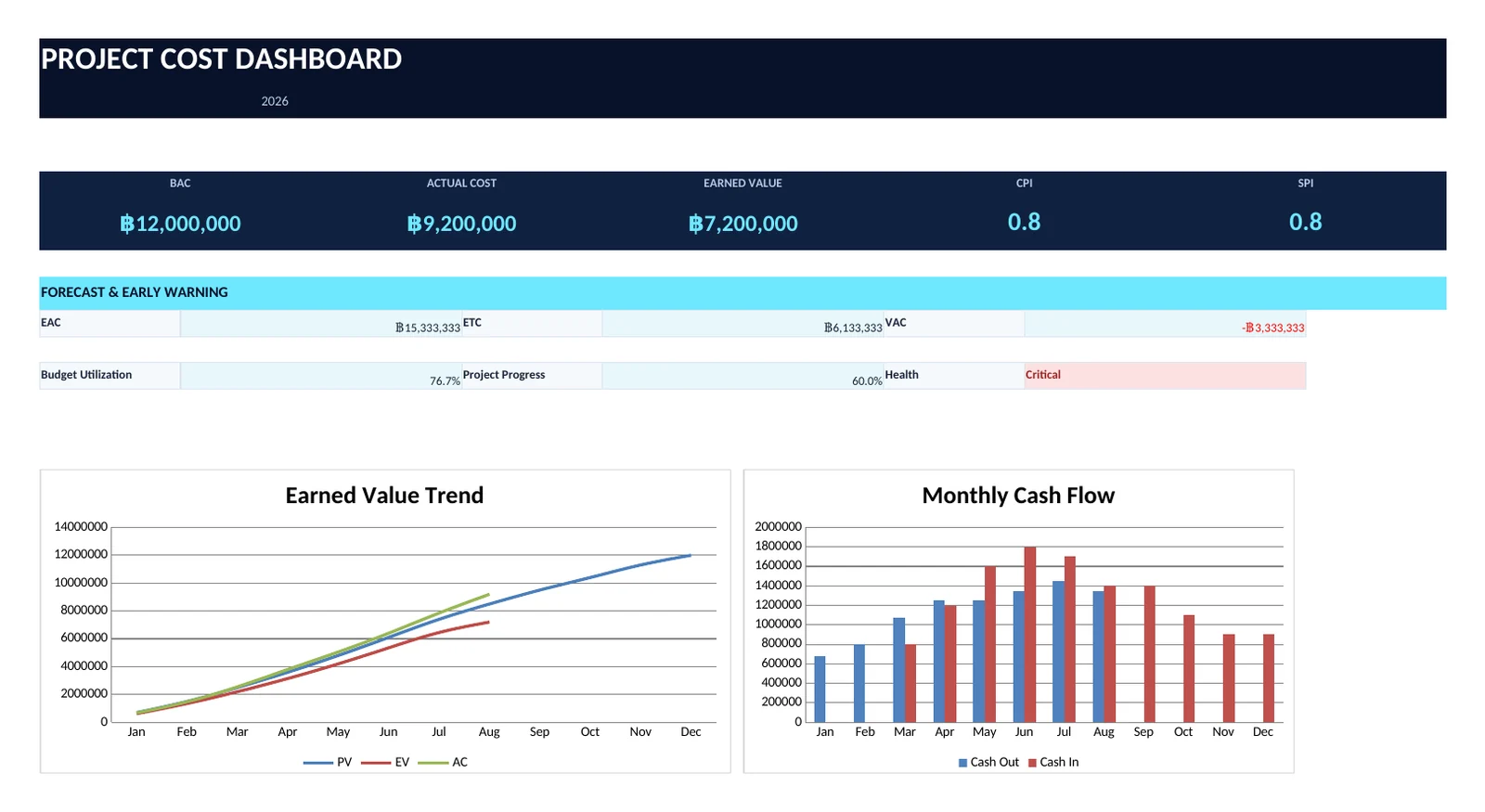
Track BAC, PV, EV, AC, CPI, SPI, EAC, cash flow and vendor costs in one executive dashboard.
Download .xlsx file ↓Free · No signup required · No email storage · Open in Excel or Import to Google Sheets
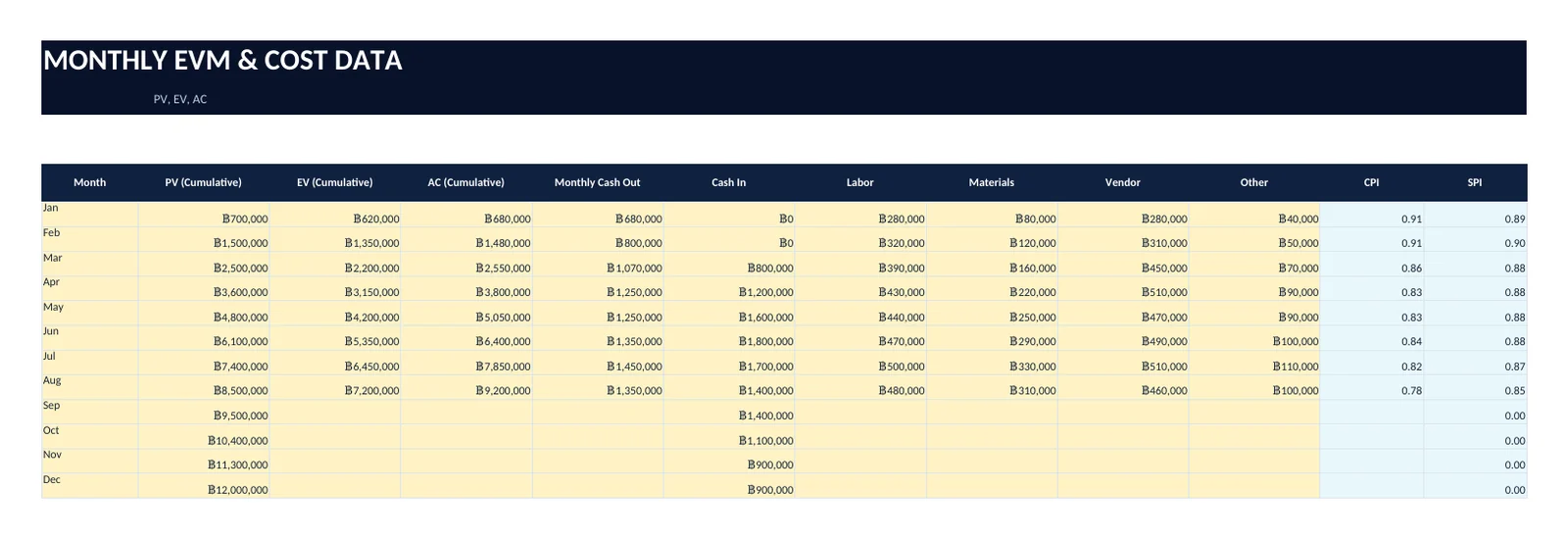
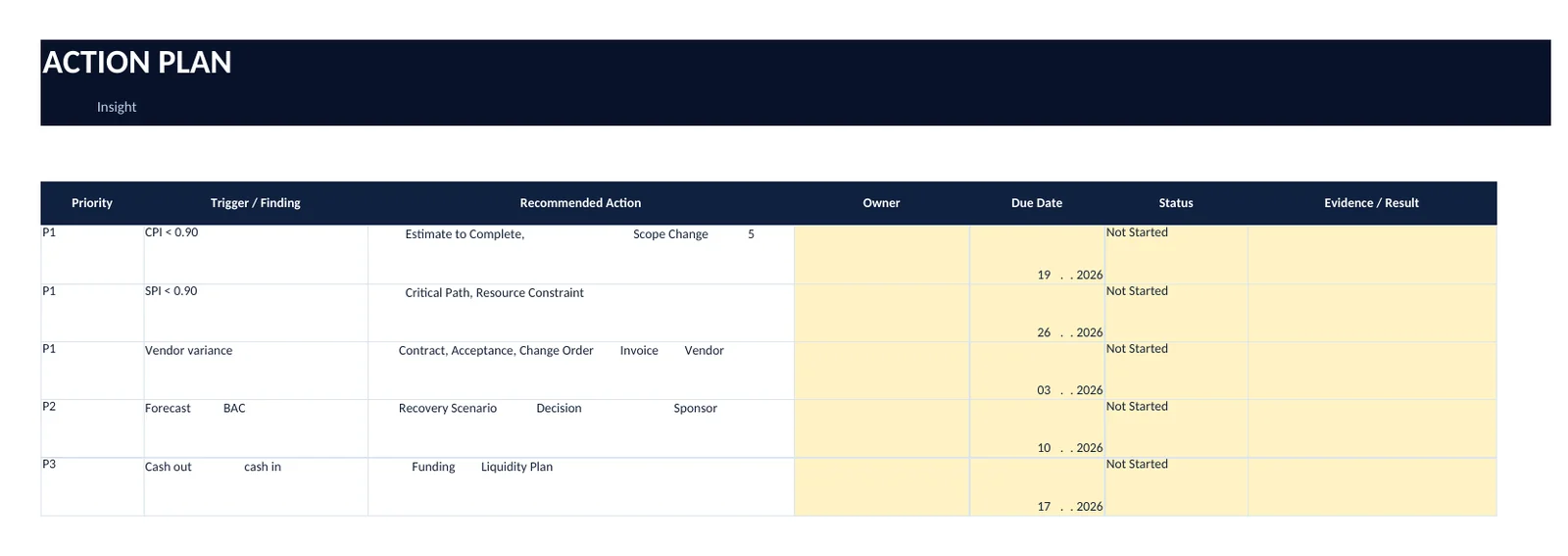
SEE BEFORE YOU DOWNLOAD
See 3 key points: Fill out table, Dashboard for decision making and Action Plan for resume.
WORKBOOK GUIDE
Find out how to use and what CPI/SPI means.
Assign BACs, Periods, Sponsors, and Reporting Dates
Record PV, EV, AC, Cash Flow and Cost Category
Compare Contract, Actual, Delivery, Quality and Risk
See EAC, VAC, CPI, SPI, and Early Warning.
Predict statements and times when CPI/SPI changes
Track cost-solving measures and schedules
MEASURE → UNDERSTAND → DECIDE → ACT → FINISH
Understand Logic, Dashboard, and Guide format first instead of actual data.
Include your organization's Baseline, Assumption, and Evidence.
Use Scenario and Action Plan to set Owner against deadline
WHAT'S INCLUDED
NO FORM. NO LOGIN. NO LEAD GATE.